| FEATURE / CAPABILITY | DECKTVFULL LAUNCHER | DECKCAMSTANDALONE APP |
|---|---|---|
| Live multi-camera grid (Quad, 9-Up, All, Primary) | ||
| DVR support: Hikvision, Dahua, CP Plus, Uniview, RTSP | ||
| Sub-stream SD grids with HD full-screen switch | ||
| Hardware keystore credential encryption | ||
| Snapshot capture & built-in gallery | ||
| Independent camera audio listening | ||
| Remote shortcuts (0–9 digits, Color keys) | ||
| Local network only (No cloud / account) | ||
| Optimized for 1 GB RAM Android TVs | ||
| Touch & swipe gesture support | ||
| Direct launch to cameras (No launcher code) | ||
| Runs on Android phones & tablets | ||
| Full Android TV home launcher replacement | ||
| Boot-to-Camera start-up input (Zero clicks) | ||
| Recent apps, custom dock & app launcher | ||
| Never sleep mode (System sleep timer override) | ||
| Xiaomi TV power-on auto-play fix |
 DECKCAM STANDALONE EDITION
Watch your cameras on any Android device.
The identical high-performance CCTV monitor engine as DeckTV, packaged as a lightweight standalone app. No launcher permissions, no home screen replacements — direct to live camera feeds on your TV, phone, tablet, or TV box.

PACKAGE: com.waygosquad.deckcam
TV REMOTE & TOUCH GESTURESLOCAL LAN ONLYKEYSTORE ENCRYPTED
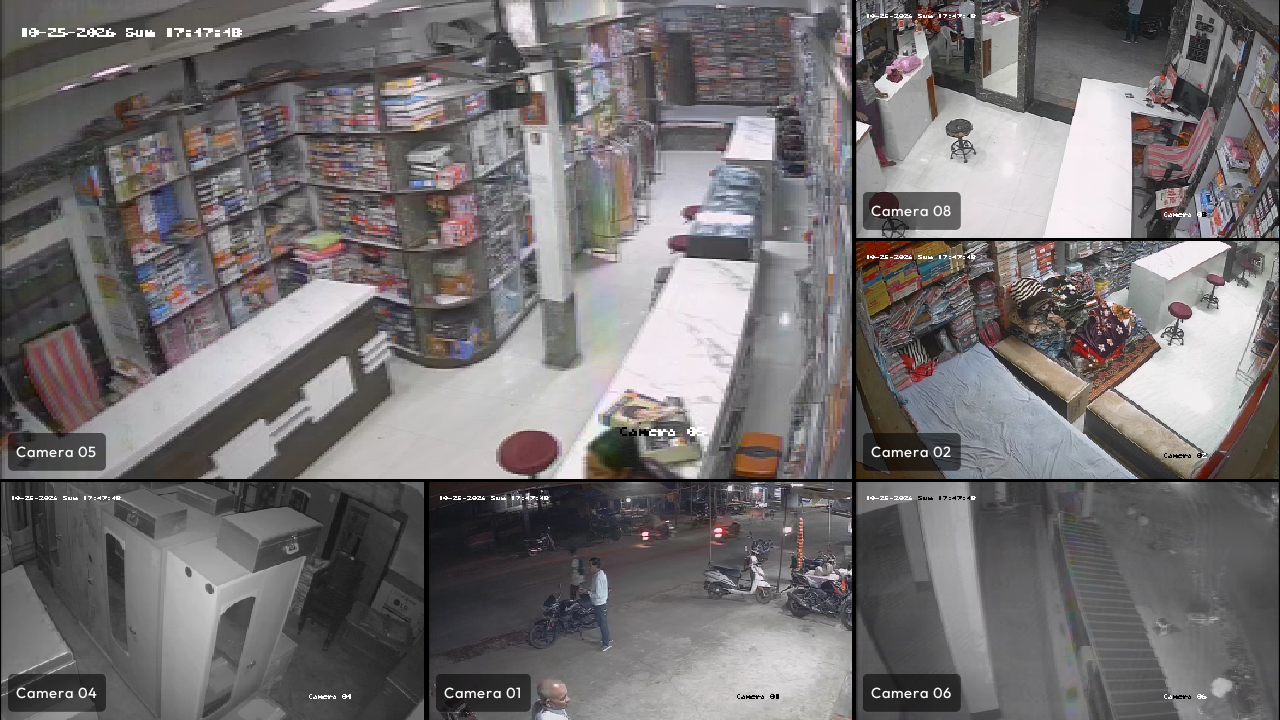
DeckTV vs. DeckCam: Which is right for you?
Both apps share the same hardened RTSP core, keystore encryption, and multi-camera engine. Choose based on whether you want a full TV launcher or a dedicated camera app.
Built for remotes, keyboards, and touchscreens
Seamlessly adapts whether you are navigating with a TV D-pad or pinching to zoom on an Android tablet.
FOR SMART TVS & TV BOXES
Remote & D-Pad Optimized
Designed from the ground up for Leanback TV navigation. Fluid focus rings, direct 0–9 number jump to zoom into feeds, and color remote shortcut keys.
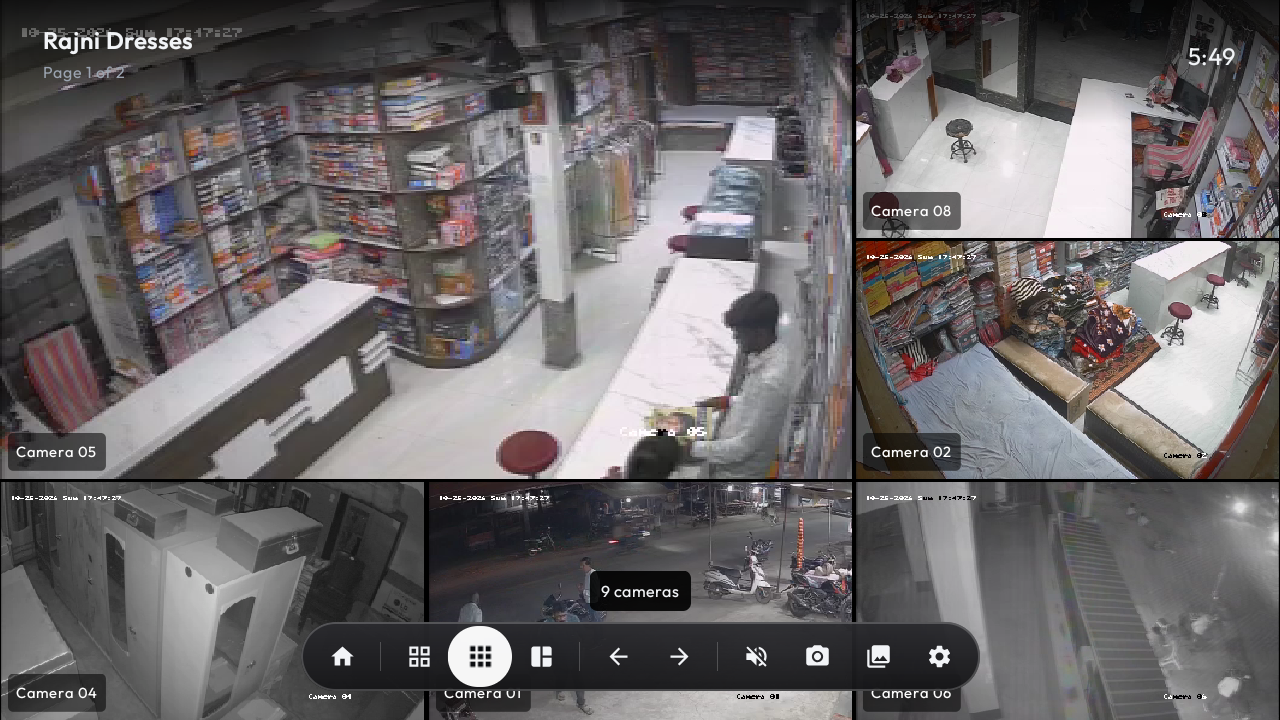
FOR PHONES & TABLETS
Touch, Drag & Swipe Gestures
Tap any camera tile to zoom, swipe horizontally between camera pages, and drag to reorganize camera tiles into your preferred layout order.
Common questions about DeckCam
Got questions about setup, streaming, or running DeckCam alongside your current setup?
Which DVR / NVR brands work?
DeckTV and DeckCam natively support Hikvision, HiLook, LTS, Annke, Dahua, CP Plus, Amcrest, Lorex, Uniview (UNV), TVT, Provision, XMEye, and any generic RTSP IP camera. The built-in auto-detect tests your device to discover brand protocol endpoints and configure stream URLs automatically.
Do I need the internet or a cloud account?
No. Neither DeckTV nor DeckCam requires an internet connection or cloud account. Both apps communicate directly with your DVR or IP cameras over your local Wi-Fi or Ethernet network. No footage or credentials ever leave your premises.
Will it run smoothly on a 1 GB RAM TV?
Yes. DeckTV and DeckCam are purposefully engineered in modern native Kotlin/Compose to run flawlessly on low-cost 1 GB RAM Android TVs (extensively tested on the Mi TV 4A Pro running Android 9). Multi-camera grids use low-bandwidth sub-streams with a hardware decoder cap, switching to full HD only when you zoom into a single camera.
What is the difference between DeckTV and DeckCam?
DeckTV is a complete Android TV launcher that replaces your standard TV home screen, giving you boot-to-camera power, app management, and an integrated CCTV wall. DeckCam is the standalone camera monitor app extracted from DeckTV — perfect for phones, tablets, or TV users who want to keep their existing launcher.
Where are snapshots saved?
Snapshots are saved locally as standard PNG image files in your device's Pictures/CamDeck folder. You can view them in the built-in full-screen gallery, delete them via remote D-pad, or access them using any standard Android file manager.
Is my DVR password safe?
Yes. Your DVR login credentials are encrypted at rest on your device using hardware-backed keys managed by the Android Keystore system. They are never written to unencrypted storage and are excluded from cloud backups (allowBackup=false).
Download DeckCam for Android
Available free on Google Play. No sign-up, no subscriptions, no cloud servers.